Professional Label Design Software Made Simple
Smart label design software for retail, logistics, and warehousing. Create professional labels with barcodes, QR codes, and support for TSPL, ZPL, Windows, and macOS.
✓ No credit card required • ✓ Windows & macOS • ✓ Offline-first
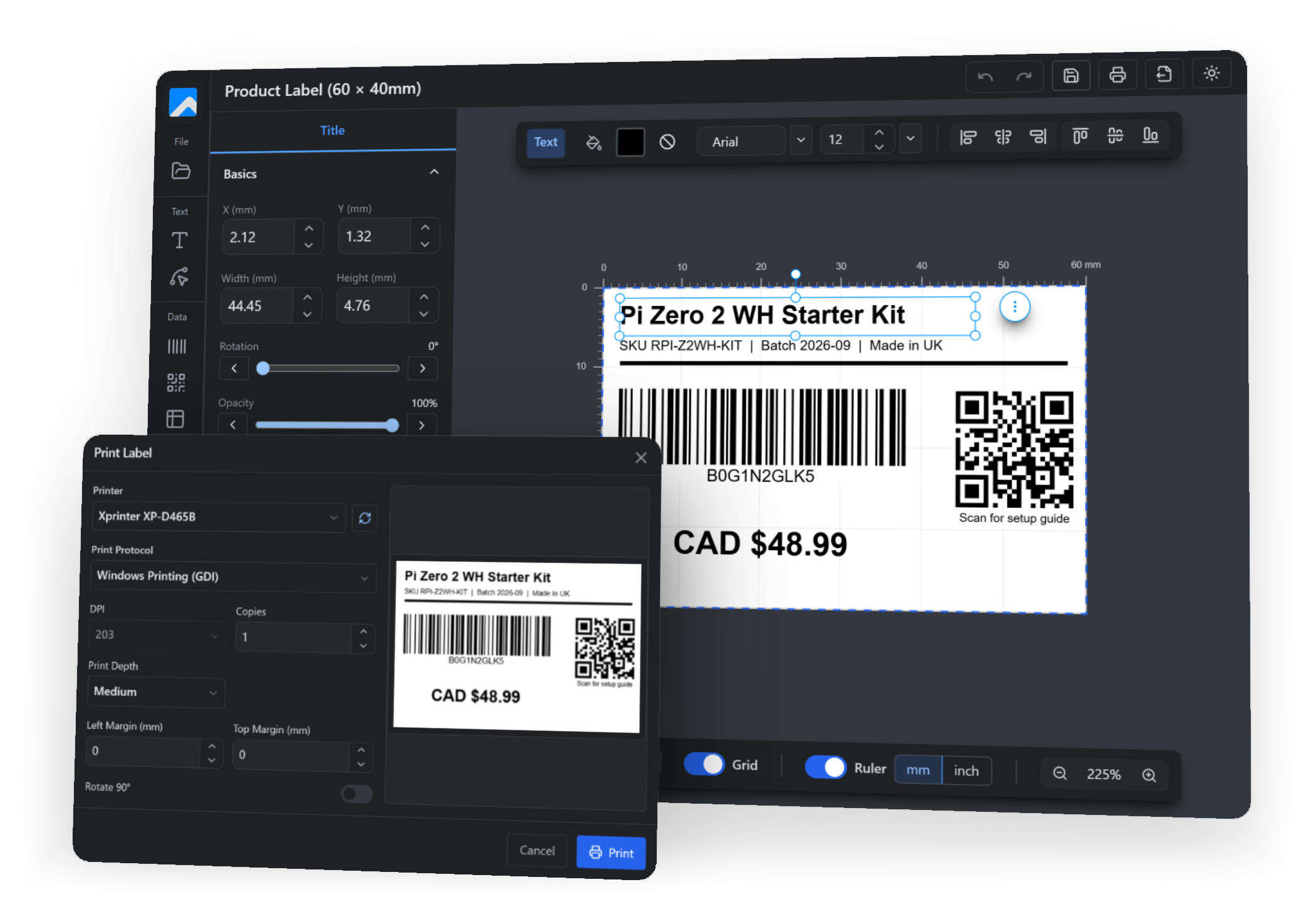
Solve Common Label Printing Frustrations
Manual formatting, printer compatibility issues, and inconsistent results are problems of the past.
-
Manual Entry Takes Time
Hours spent typing addresses, correcting formats, and ensuring proper alignment.
-
Imprecise Positioning
Labels with misaligned text, inconsistent spacing, and poor visual quality.
-
Outdated Software
Legacy tools lack modern interfaces, intuitive workflows, and reliable performance.
-
Labelr Solves It All
A complete solution that's both powerful and delightful to use.
Key Features of Our Label Maker
Complete label design solution with professional features. 15-day free trial with full access.
Lightning Fast
Quick startup and responsive performance. Built with native technology for unified speed on any platform.
Data Security
Complete offline operation with local data storage. Your data never leaves your device.
Multi-Language
The app interface is available in 14 languages, including English, Chinese, Japanese, Korean, Spanish, German, Portuguese, French, Vietnamese, Thai, Malay, Indonesian and Hindi.
Multi-Protocol Printing
Support for TSPL, ZPL, EPL, CPCL protocols. Works with Zebra, TSC, Brother, and more.
Visual Design
Intuitive drag-and-drop editor with grids, rulers, layers, and real-time preview.
Rich Elements
13 barcode formats, QR codes, tables, shapes, path text, images, and the fonts already installed on your computer.
How It Works
Create professional labels in three simple steps
Design Your Label
Start with a blank canvas or choose from preset templates. Set your label size and orientation.
Add Elements
Drag and drop text, barcodes, QR codes, shapes, and images. Customize fonts, colors, and sizes.
Print Perfectly
Connect your printer via USB or standard driver. Print instantly with perfect precision.
Visual Highlights
A quick peek at the modern interface and powerful features
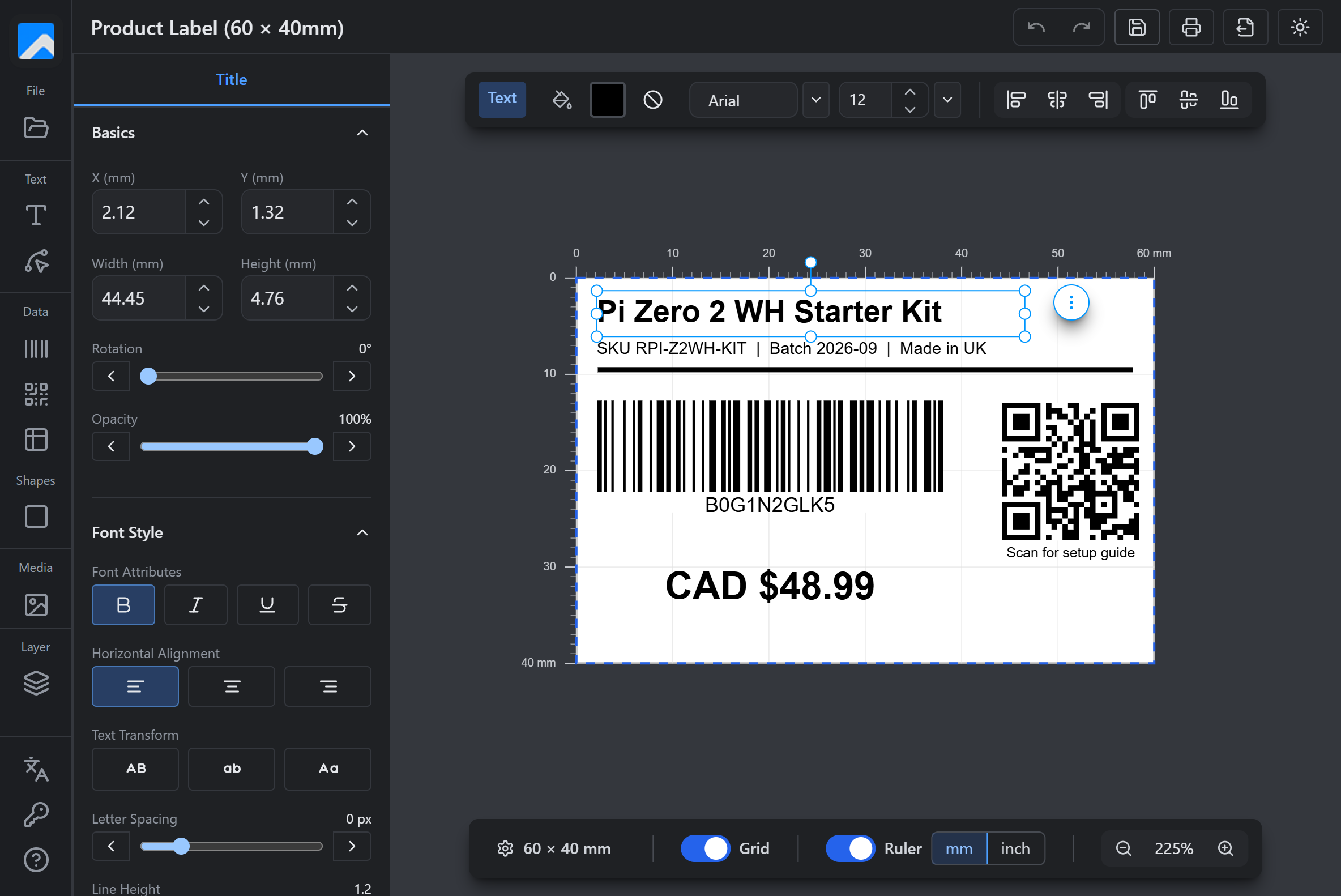
Live Preview Editor
WYSIWYG editing with precise spacing and font controls.
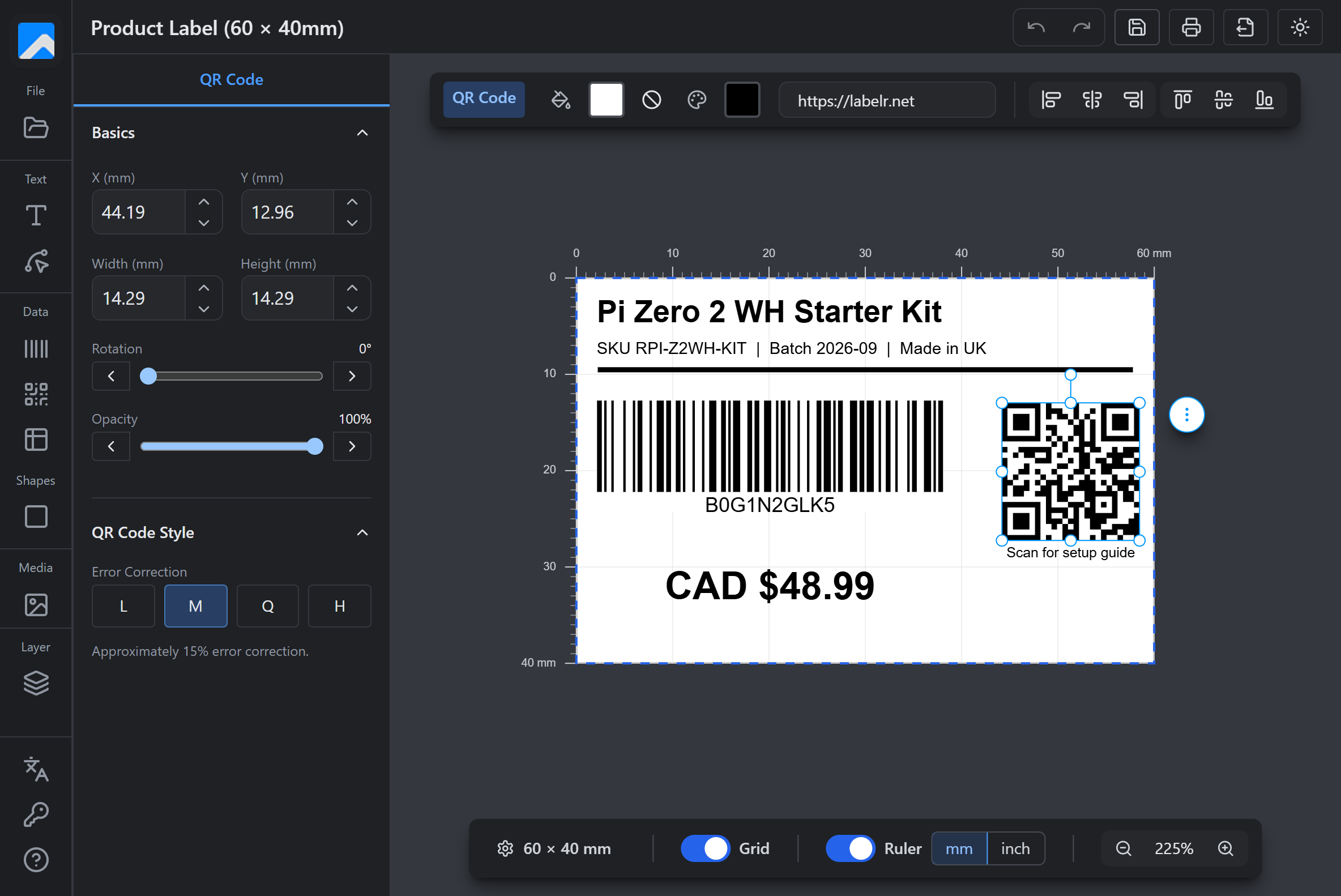
QR Code & Barcodes
13 barcode formats, plus QR codes with four error correction levels.
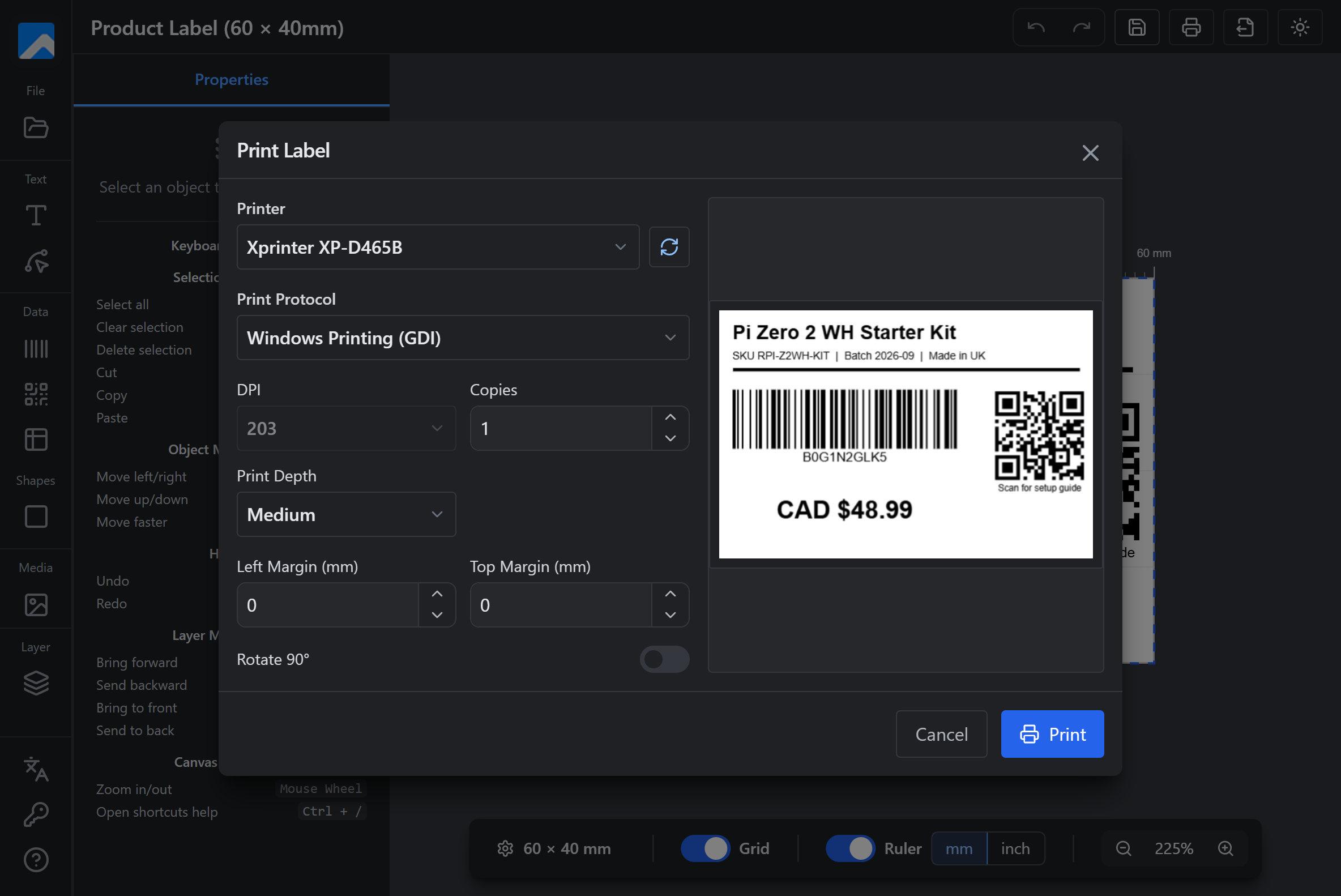
Export & Print
PNG, PDF, JSON export with comprehensive printer integration.
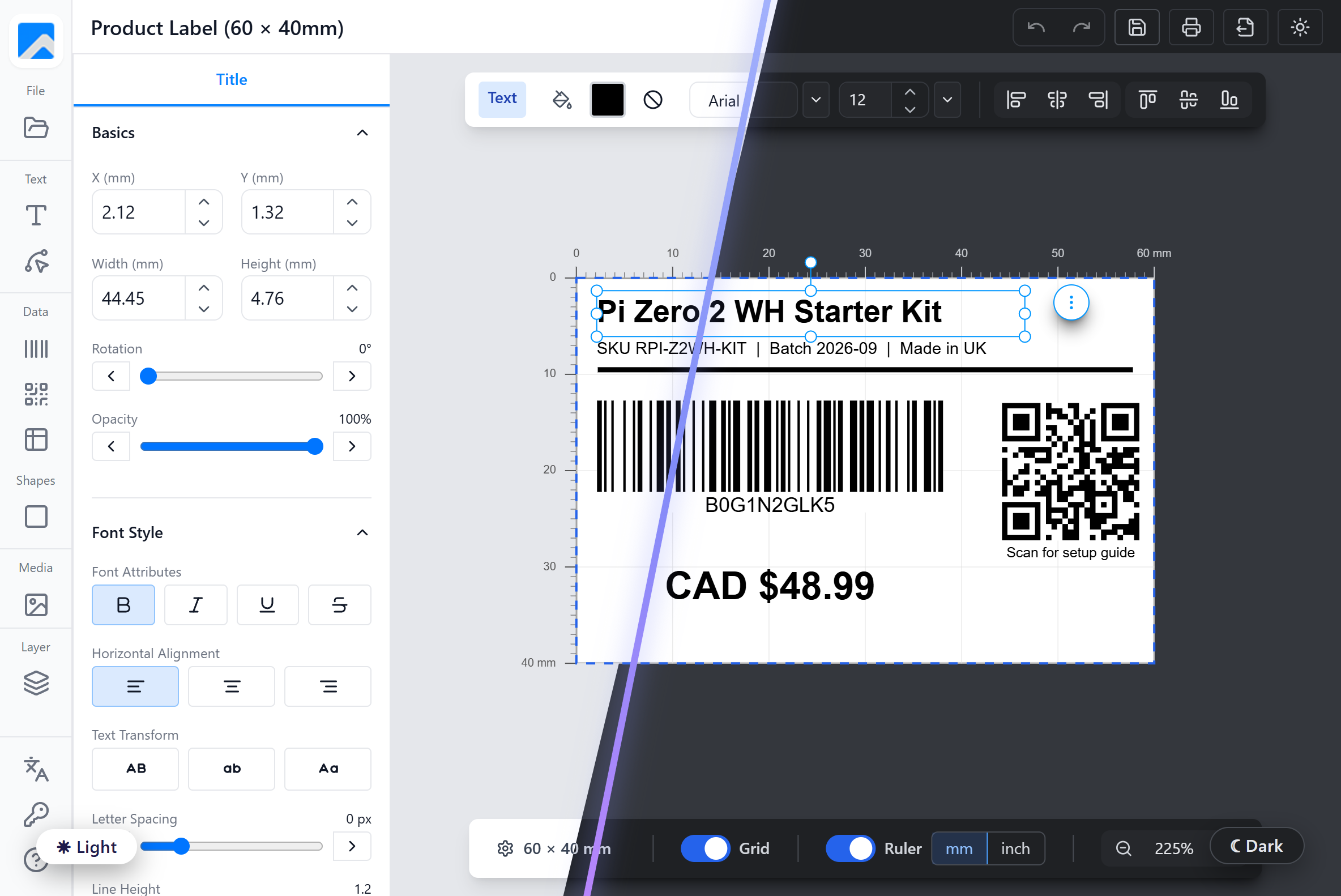
Light or Dark — Your Workspace, Your Way
Labelr now ships with a full dark theme. Switch with one click from the header, and the app remembers your choice the next time it starts.
-
One-click toggle
Tap the sun/moon icon in the header to switch instantly — no restart, no digging through settings.
-
Remembered between sessions
Your theme is saved locally and applied before the first frame, so there is no flash on startup.
-
Print-true canvas
The label itself stays white in both themes: what you see on screen is what comes out of the printer.
-
Easier on the eyes
Lower glare for long design sessions and for dim warehouse or back-office workstations.
Why Retail & Logistics Choose Labelr
Built for the people who print labels every day
Visual Design & Rich Elements
Intuitive drag-and-drop interface with text, shapes, barcodes, QR codes, images, and path text. No design experience required.
Universal Printer Compatibility
Works with Zebra (ZPL), TSC (TSPL), and standard inkjet printers. Direct USB connection for high-speed output.
Label Templates & Customization
Multiple preset sizes (50×25mm, 70×30mm, 100×50mm) plus fully customizable dimensions. Save and reuse your designs.
Offline-First Privacy
Your designs are saved to a local database on your own computer. Nothing is uploaded to the cloud, and the app works without an internet connection.
Available on All Your Favorite Platforms
Native applications optimized for Windows and macOS
Windows
Windows 10/11 (64-bit)
- Native performance with modern web technology
- Works with your installed USB and network printers
- Installs without administrator rights
macOS
macOS 10.15+ (Catalina)
- Apple Silicon & Intel support
- Retina display optimized
- Native macOS integration
Where Labelr Shines
From home offices to logistics teams — labels for every scenario
Personal & Home
Address labels, gift tags, home organization, and craft projects. Perfect for personal use.
Small Business
Product labels, shipping labels, inventory tags, and customer address management.
Professional & Logistics
Bulk printing, warehouse labels, multi-department use, and high-volume operations.
Frequently Asked Questions
Everything you need to know before you download
- Which printers does Labelr work with?
- Labelr prints through the printer drivers already installed on your computer, so any USB or network printer your system can see is available — including ordinary inkjet and laser printers. For thermal label printers it can also send raw TSPL, ZPL, EPL and CPCL commands, which covers TSC, Zebra, Eltron and compatible models.
- Does Labelr need an internet connection?
- No. Your designs are stored in a local database on your own computer, and the font list comes from the fonts installed on that machine. Only license activation contacts our server; everything else works fully offline.
- What do I get during the free trial?
- The 15-day trial unlocks every feature, with no credit card required. Once it ends you can still open and edit your designs, but saving and printing need a license.
- Which barcode types are supported?
- Thirteen formats: CODE39, CODE93, CODE128, Codabar, EAN-13, EAN-8, EAN-5, EAN-2, UPC, ITF, ITF-14, MSI and Pharmacode. QR codes are supported separately, with four error correction levels (L, M, Q and H).
- Can I export a design instead of printing it?
- Yes. Export to PNG or PDF at 203, 300 or 600 DPI — matching common thermal print heads — with the background included or left out. You can also export JSON to back up a design or move it to another computer.
- Does Labelr run on Mac?
- Yes. Labelr is a native desktop app for macOS 10.15 or later, with separate downloads for Apple Silicon and Intel Macs, and for Windows 10 and 11. A design exported as JSON on one platform opens on the other.
- Can I use Labelr with Munbyn, Rollo, Phomemo, Jadens or Nelko desktop thermal label printers?
- If the printer is installed on Windows or macOS with its manufacturer driver, Labelr prints to it like any other printer, so the popular USB and Bluetooth desktop models work once their driver is set up. Printers that understand TSPL, ZPL, EPL or CPCL can also receive raw commands directly.
- What languages is the app available in?
- The application interface ships in 14 languages: English, Simplified and Traditional Chinese, Japanese, Korean, Spanish, German, Portuguese, French, Vietnamese, Thai, Malay, Indonesian and Hindi.
Ready to Transform Your Label Workflow?
Design it once, save it locally, and print it again whenever you need to — on Windows or macOS.
No credit card required • Full feature access • Cancel anytime