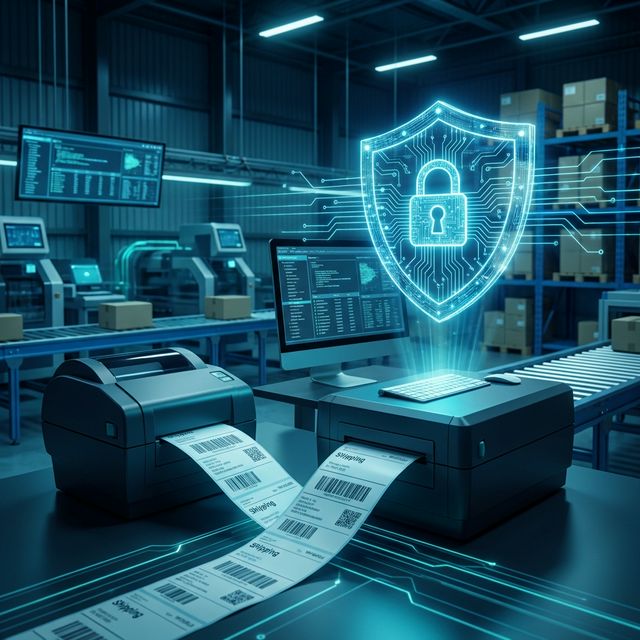
Concerned about data leaks? Explore why offline-first label software is the safer choice for logistics. Compare speed, reliability, and ZPL/TSPL printer compatibility to find the best solution for your secure workflow.
In the modern logistics landscape, data is as valuable as the inventory itself. Every shipping label contains sensitive information: customer addresses, SKU details, and order values. As more companies move toward "SaaS" and cloud-based labeling solutions, a critical question arises: Do you really want your warehouse data sitting on someone else's server?
For technical leads and warehouse managers, the choice between cloud-based and offline software isn't just about features—it's about control, latency, and security. In this article, we’ll analyze why local processing is the gold standard for secure logistics and how Labelr provides an "Offline-first" alternative without sacrificing modern UI capabilities.
The Hidden Vulnerabilities of Cloud Labeling
While web-based label tools offer convenience, they introduce three major bottlenecks for high-volume logistics:
- Data Privacy Risks: Every time you click "Print" in a web browser, your label data (including PII) is transmitted over the internet. Even with encryption, this expands your attack surface.
- Latency & Connectivity Dependency: In a fast-moving warehouse, a 2-second lag in cloud rendering can feel like an eternity. If your internet goes down, your entire shipping line grinds to a halt.
- Limited Protocol Control: Browsers are notoriously bad at talking to hardware. Most cloud tools rely on generic PDF drivers, which are significantly slower than sending raw ZPL or TSPL code directly to a thermal printer.
The Labelr Advantage: Security Through Architecture
Labelr is built on an Offline-first philosophy. Using a native desktop architecture (powered by Tauri and Rust), it ensures that your data never leaves your environment.
1. Local Font & Asset Management
Unlike web tools that fetch Google Fonts or external assets on the fly, Labelr reads your system fonts directly from your OS. This ensures that even if you are in a high-security "air-gapped" environment, your labels will render perfectly with full brand consistency.
2. Zero-Cloud Data Footprint
Your designs, CSV imports, and print logs are stored locally. There is no "Login to Print" requirement. This makes Labelr ideal for businesses that must comply with strict data protection regulations (like GDPR or HIPAA).
3. Native Protocol Injection (ZPL/TSPL)
By interacting directly with the OS's printing subsystem via Rust, Labelr bypasses the browser's abstraction layer. It can generate and send optimized command strings (like Zebra's ZPL or TSC's TSPL) to ensure the fastest possible "Time to First Label."
Technical Guide: Setting Up a Secure, Offline Workflow
Step 1: Initialize Your Local Project
When you launch Labelr, you are working in your local file system.
- Use the Open Dialog (Folder icon in the Left Sidebar) to load existing designs.
- All temporary data is handled in-memory or in local configuration files, ensuring no data leaks to external APIs.
Step 2: Optimizing for High-Speed Printing
For logistics users, speed is as important as security.
- Open the Print Dialog from the main interface.
- Select Protocol: Instead of standard "Windows Printing," select ZPL Protocol (for Zebra) or TSPL Protocol (for TSC/Godo).
- Direct Communication: Labelr uses native system calls to detect printers. Select your device from the dropdown, and you’ll see the Detected DPI automatically update—this ensures the generated command string is pixel-perfect for your hardware.
Step 3: Managing Complex Data Locally
Logistics labels often require dynamic data like barcodes and QR codes.
- Use the Data Sidebar to drop a Barcode element onto your canvas.
- Fine-tune parameters in the Properties Panel: adjust density, human-readable text, and symbology (Code 128, EAN-13, etc.) without ever sending the data to an online barcode generator.
Speed Comparison: Why Every Millisecond Counts
FeatureCloud-Based SaaSLabelr (Offline-First)Data ResidencyThird-party ServerYour HardwareInternet RequiredYesNoRendering SpeedNetwork DependentInstant (Native)Hardware AccessBrowser Driver (Slow)Native Protocol (Fast)Custom FontsLimited/Web-onlyAll System FontsConclusion: Privacy is a Feature, Not an Afterthought
In an era of increasing cyber threats, moving your warehouse operations "back to local" is a strategic move. By combining a modern, visual drag-and-drop design experience with a robust, offline-first engine, Labelr offers the best of both worlds: the ease of use of a web app with the security and speed of a professional industrial tool.
Take your warehouse security seriously. Switch to an offline-first workflow with Labelr today.